How to Turn Long Videos into Viral Shorts with AI (Complete Beginner's Guide)
Learn the complete workflow professional creators use to transform podcasts, interviews, webinars, tutorials, and YouTube videos into viral short-form content for YouTube Shorts, Instagram Reels, and TikTok.
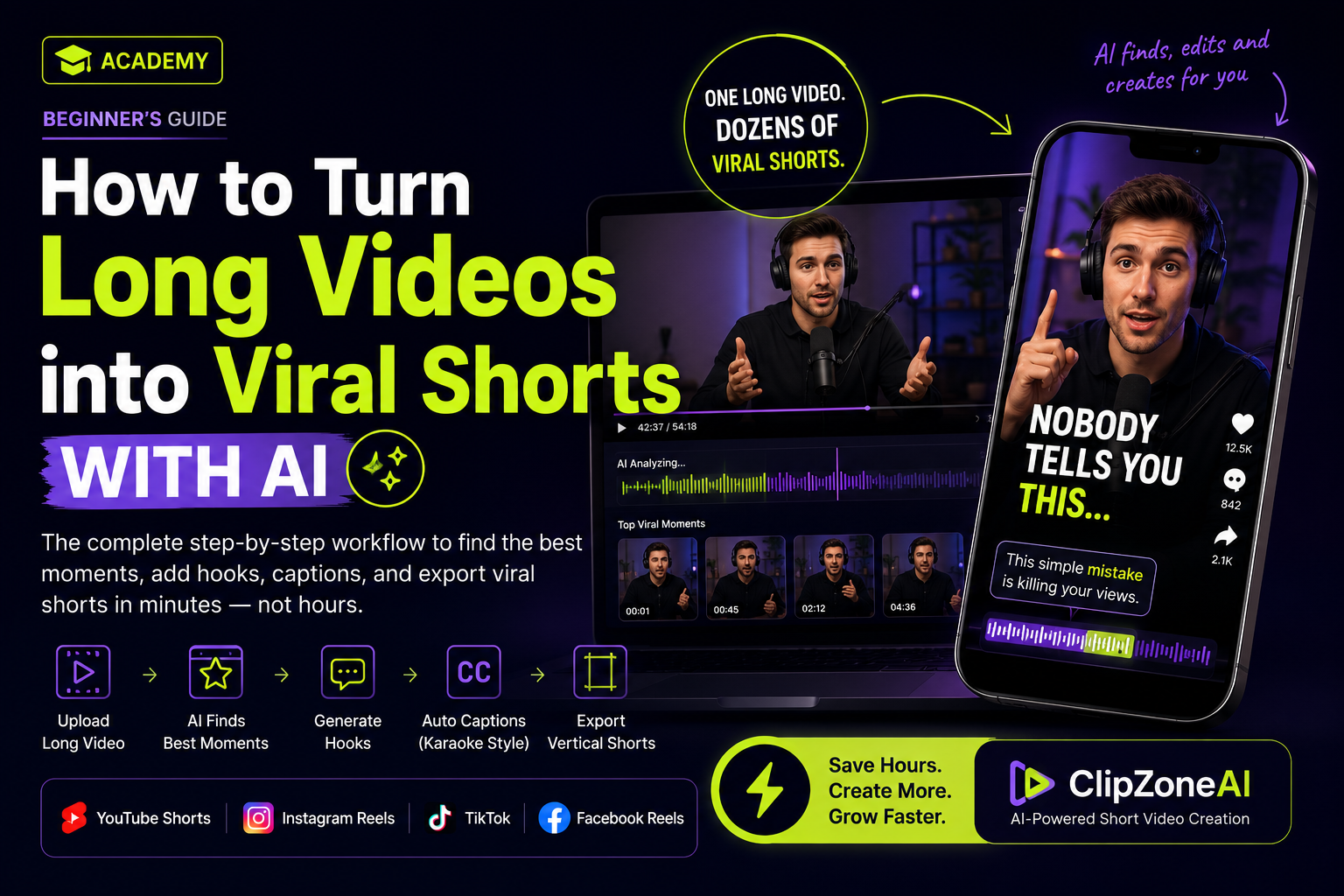
If you're creating long-form content, you're sitting on dozens—or even hundreds—of short-form videos without realizing it.
A single 30-minute podcast can become 20–50 engaging Shorts.
A one-hour webinar can generate weeks of content.
A YouTube tutorial can produce an entire month's worth of Instagram Reels.
The challenge isn't creating more content—it's finding the best moments, editing them, adding captions, writing hooks, and exporting them in the correct format.
Traditionally, this process could take several hours for every video.
Today, AI can reduce that to just a few minutes.
In this guide, you'll learn exactly how professional creators repurpose long-form videos into high-performing Shorts—and how AI can automate nearly the entire workflow.
Why Short-Form Content Matters
Every major platform is prioritizing short videos.
YouTube Shorts
Instagram Reels
TikTok
Facebook Reels
LinkedIn Vertical Video
Short-form videos receive significantly more impressions because platforms want users to consume content quickly.
Instead of relying on one long-form upload each week, successful creators now publish multiple Shorts every day.
One long video can generate weeks of content.
Step 1 – Upload Your Long Video
Start with any long-form content:
Podcasts
Interviews
Webinars
Educational videos
Tutorials
Vlogs
Product demonstrations
Online courses
The higher the quality of the original video, the better the AI can identify engaging moments.
Step 2 – Find the Best Moments
This is where most creators spend the majority of their editing time.
Instead of manually watching an hour-long video, AI can analyze:
Emotional moments
High-energy conversations
Strong storytelling
Audience engagement signals
Viral-worthy statements
Educational highlights
Within minutes, AI recommends the strongest clips for short-form content.
No more scrubbing through timelines looking for interesting moments.
Step 3 – Add Attention-Grabbing Hooks
The first three seconds determine whether someone keeps watching.
A weak opening causes viewers to scroll away.
A strong hook dramatically increases watch time.
Examples include:
"Nobody tells you this..."
"I wish I knew this earlier..."
"This simple mistake costs creators thousands of views."
"Stop editing videos this way."
Modern AI can generate multiple hook variations based on your clip, allowing you to choose the one that best fits your audience.
Step 4 – Generate Accurate Captions
Captions are essential for short-form videos because many viewers watch without sound.
Professional captions improve:
Watch time
Accessibility
Viewer retention
Engagement
Look for tools that offer:
Word-level timing
Karaoke-style highlighting
Multiple caption styles
Easy editing
High accuracy
Step 5 – Reframe for Vertical Viewing
Most long-form videos are recorded in landscape.
Platforms like Shorts, Reels, and TikTok require a vertical format.
AI can automatically:
Detect speakers
Keep faces centered
Create smart crops
Add blurred backgrounds when necessary
Maintain the correct framing throughout the clip
This saves hours of manual keyframing.
Step 6 – Customize Before Exporting
Even with AI automation, creators often want final creative control.
Before exporting, you should be able to:
Edit captions
Modify hook text
Change fonts
Adjust colors
Choose caption styles
Change hook designs
Select export quality
Preview the final result
A flexible editor lets you maintain your unique brand while still benefiting from AI speed.
Step 7 – Export for Every Platform
Once everything looks right, export in vertical format.
Then publish to:
YouTube Shorts
Instagram Reels
TikTok
Facebook Reels
LinkedIn
One edited clip can be distributed across multiple platforms, maximizing your reach.
Why AI Saves Hours Every Week
Without AI, creators typically spend:
Watching the video
Finding highlights
Cutting clips
Writing hooks
Creating captions
Reframing
Styling text
Exporting
This process often takes 2–5 hours for a single long-form video.
With AI-assisted editing, much of this work can be completed in just minutes.
Instead of spending your time editing, you can focus on creating more content.
How ClipZoneAI Makes This Process Simple
ClipZoneAI combines the entire workflow into one streamlined platform.
Instead of juggling multiple editing tools, you can:
Upload your long-form video.
Let AI identify the best viral moments.
Generate multiple attention-grabbing hooks.
Create highly accurate animated captions.
Automatically convert videos into vertical format.
Edit hooks and captions in an intuitive visual editor.
Customize styles, colors, fonts, and layouts.
Preview your edits instantly.
Export polished videos ready for YouTube Shorts, Instagram Reels, and TikTok.
Whether you're a content creator, coach, educator, podcaster, marketer, or business owner, ClipZoneAI helps you transform one long video into dozens of professional-quality short clips in a fraction of the time.
Key Takeaways
✔ One long-form video can become dozens of Shorts.
✔ AI removes hours of manual editing.
✔ Strong hooks increase viewer retention.
✔ Professional captions improve engagement.
✔ Vertical formatting is essential for modern platforms.
✔ Final editing ensures your videos match your personal brand.
✔ ClipZoneAI automates the entire workflow while still giving creators full creative control.
Turn your videos into viral shorts
Upload, edit and export with AI captions in seconds.
Try ClipZone AI free