ClipZone AI vs OpusClip: Which AI Video Editor Is Better for Creating Shorts in 2026?
Compare ClipZone AI vs OpusClip on AI clipping, captions, hooks, editing, pricing and features. Find the right tool for turning long videos into Shorts.
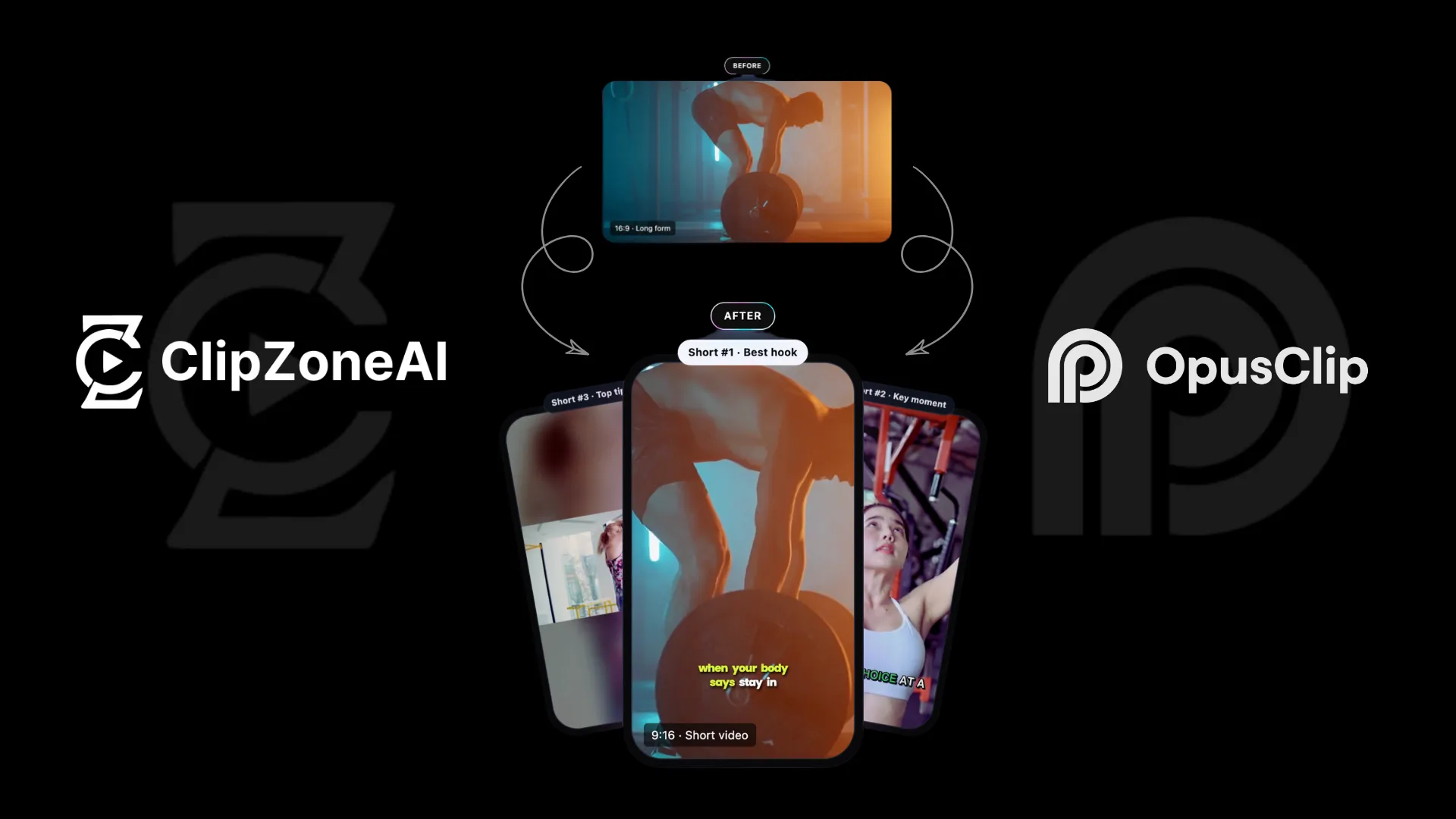
Creating short-form videos from long recordings has become an important part of content creation. YouTubers, podcasters, educators, coaches and businesses are constantly looking for ways to turn their existing videos into engaging YouTube Shorts, Instagram Reels and TikToks without spending hours editing manually.
That's where AI video clipping tools come in.
Two tools worth considering are ClipZone AI and OpusClip. Both help creators transform long-form videos into short-form content, automatically identify interesting moments, add captions and prepare clips for social media.
However, they approach the editing experience differently.
OpusClip offers a broad collection of AI video editing and publishing capabilities, while ClipZone AI focuses on making video repurposing accessible, customizable and straightforward, with particular attention to how individual clips are edited and exported.
So, which one should you choose?
In this guide, we'll compare ClipZone AI vs OpusClip across features, AI clipping, captions, hooks, editing flexibility, pricing and overall value to help you decide which platform suits your content creation workflow.
Quick Comparison: ClipZone AI vs OpusClip
If you don't have time to read the entire comparison, here's a quick overview.
Feature | ClipZone AI | OpusClip |
|---|---|---|
AI long-video clipping | Yes | Yes |
Automatic highlight detection | Yes | Yes |
AI-generated captions | Yes | Yes |
Customizable caption styles | Yes | Yes |
AI hook suggestions | Yes | Yes |
Hook video customization | Yes | Check available workflow and plan |
Individual short editing | Yes | Yes |
AI speaker reframing | Active speaker reframing | AI Reframe |
Background blur | Yes | Check available editing options |
Multiple aspect ratios | Yes | Yes |
Free plan | Yes | Yes |
Watermark-free paid exports | Yes | Yes |
Video processing allowance | 900 minutes on Creator annual plan | Credit-based |
Export allowance | 40 exports on Creator annual plan | Credit-based |
Social publishing | Export-focused workflow | Built-in social publishing and scheduling options on eligible plans |
Best suited for | Creators wanting straightforward, customizable short-form editing | Creators wanting a broader AI editing and publishing workflow |
Feature availability and limits depend on subscription plans. Check the respective official pricing pages for the latest details.
1. What Is ClipZone AI?
ClipZone AI is an AI-powered video repurposing platform that helps creators turn their existing long-form videos into short-form content.
Instead of manually watching an entire recording, searching for interesting moments, trimming clips, adding captions and adjusting the video format, creators can use AI-assisted tools to simplify much of the process.
Upload a long video, review the suggested moments, customize the clips and export them for social media.
Key features of ClipZone AI
AI Video Clipping
Upload a long recording and let AI identify potentially interesting moments that can be turned into shorter videos.
AI Captions
Generate word-synced captions automatically and customize their appearance using different styles and themes.
AI Hook Suggestions
Get AI-assisted hook suggestions based on your video's content to help create stronger openings for your Shorts and Reels.
Customizable Hook Videos
Create an additional short hook video at the beginning of a generated short. You can choose whether to use it and customize the hook instead of being forced to accept one automatic opening.
Individual Short Editing
Each generated short has its own preview and editing experience. You can customize the individual clip rather than treating all generated shorts as one finished output.
AI Speaker Reframing
Keep the active speaker appropriately positioned in the vertical video frame, helping make horizontal recordings more suitable for short-form platforms.
Video Background Blur
Convert horizontal footage into a vertical format using a blurred background rather than leaving distracting black bars.
ClipZone AI is designed for creators who want to repurpose their existing recordings while retaining control over the final appearance of individual clips.
Explore the ClipZone AI features.
2. What Is OpusClip?
OpusClip is an established AI video clipping and editing platform designed to transform long-form videos into short-form social media content.
It uses AI to identify potentially engaging moments, generate clips, add captions, reframe videos and support social media publishing workflows.
Its ClipAnything technology also aims to identify highlights across different video genres, including podcasts, interviews, vlogs, gaming and sports.
Key features of OpusClip
AI Video Clipping
Automatically identifies potentially engaging moments from longer videos and turns them into shorter clips.
Virality Score
Provides a score intended to help creators evaluate the potential of generated clips.
AI Animated Captions
Generates animated captions with customizable templates and support for multiple languages.
AI Reframing
Automatically adjusts video framing to suit different social media aspect ratios while tracking speakers and moving objects.
AI B-roll
Adds contextual visual elements to videos to make clips more dynamic.
Social Media Publishing
Supports publishing and scheduling workflows for supported social platforms, depending on the subscription plan.
Brand Templates
Helps maintain consistent fonts, colors and branding across generated videos.
OpusClip is particularly useful for creators and teams looking for a wider range of AI editing, branding and publishing capabilities in one platform.
3. ClipZone AI vs OpusClip: Feature-by-Feature Comparison
Now let's look at the areas that matter most when choosing an AI video clipping tool.
A. AI video clipping and highlight detection
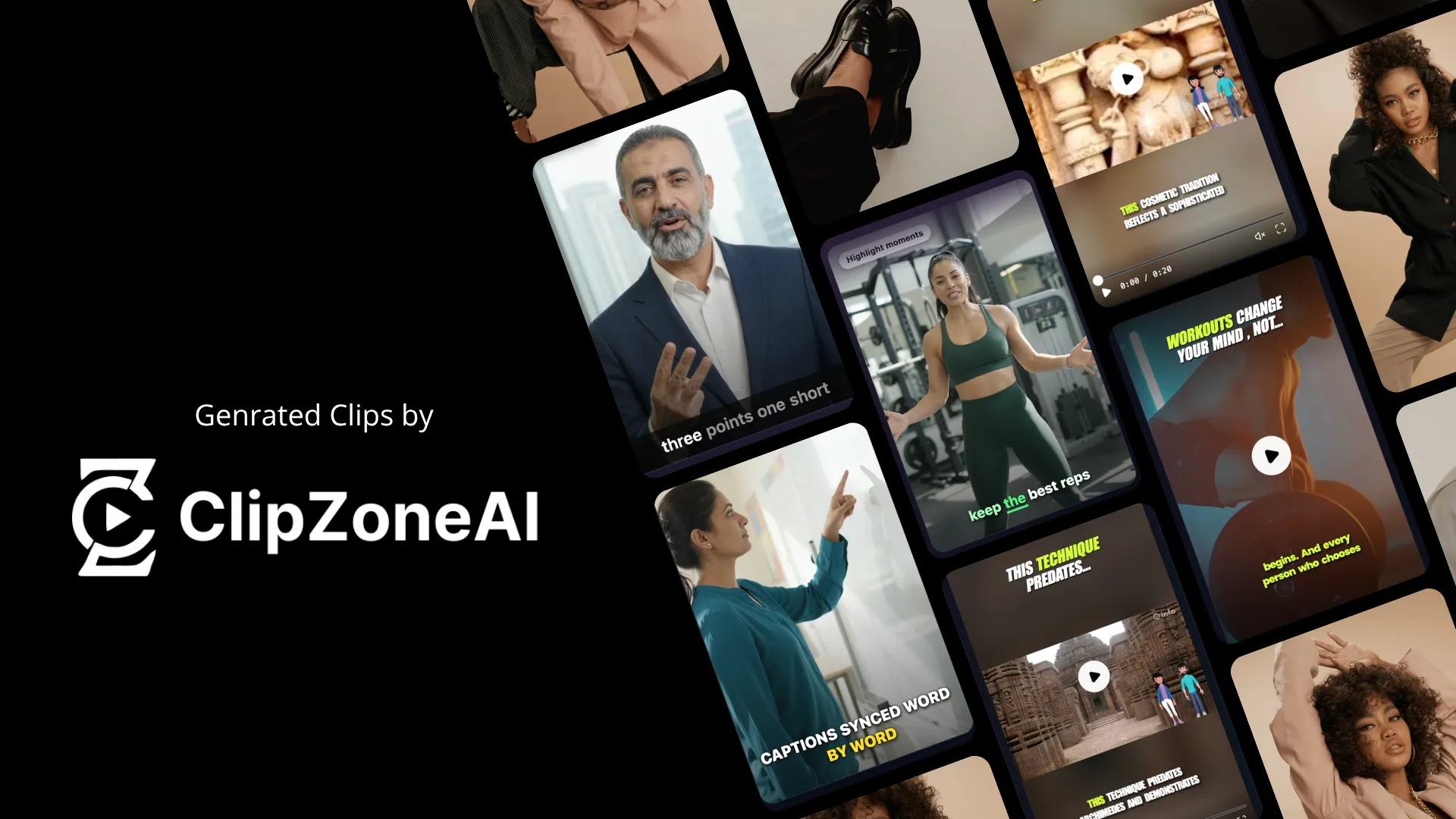
Both platforms are designed to reduce the manual effort involved in finding interesting moments in long videos.
With ClipZone AI, you upload your recording and review AI-suggested moments before customizing and exporting individual clips.
OpusClip uses its AI clipping technology to identify highlights and generate short videos. Its ClipAnything model also supports a wider variety of video genres and visual content.
Which should you choose?
Both are useful for creators who regularly repurpose long recordings. OpusClip offers broader genre-oriented AI capabilities, while ClipZone AI provides a straightforward workflow for reviewing and shaping suggested clips.
B. Captions and subtitles
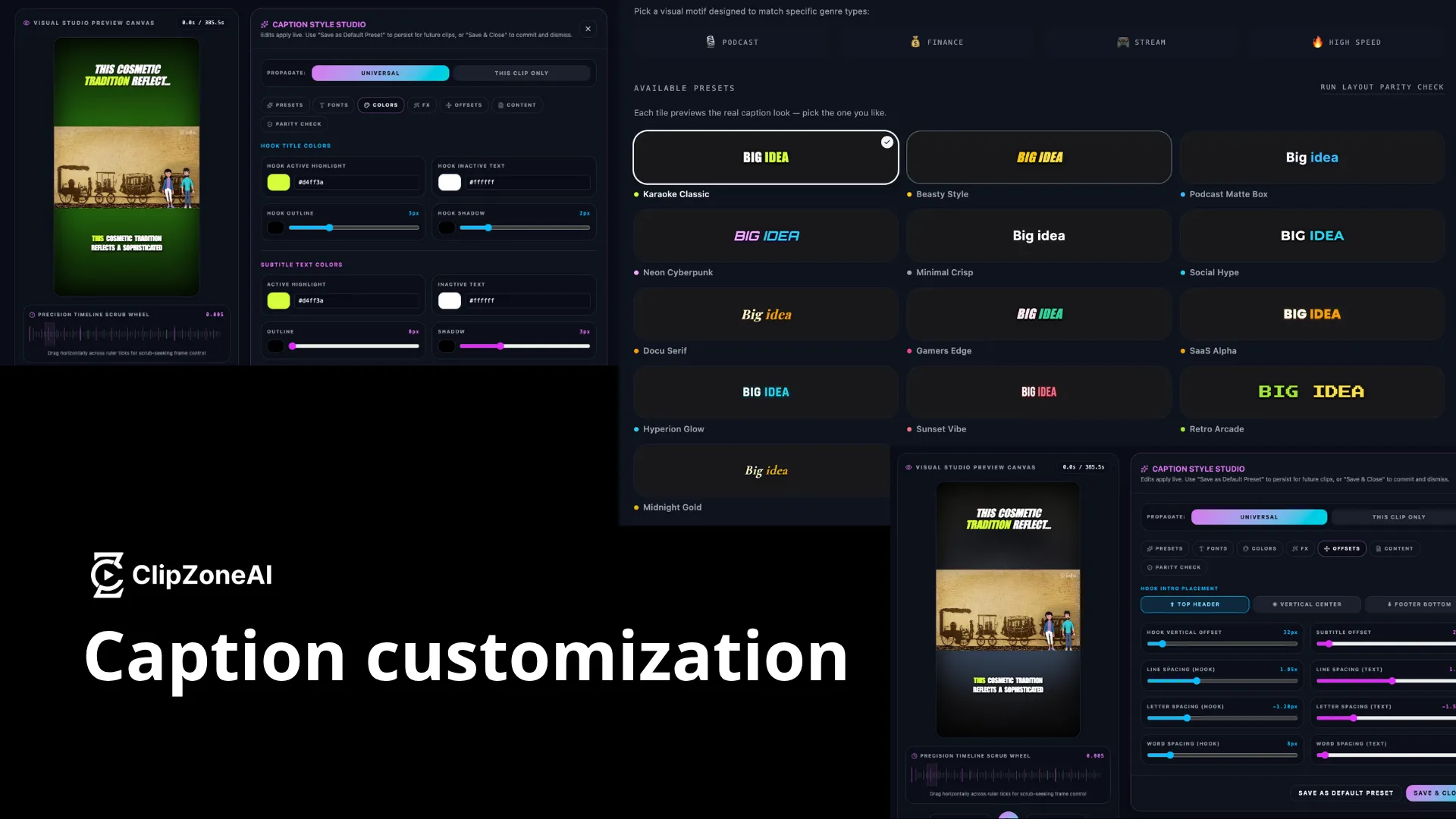
Captions are essential for short-form content, especially when people watch videos without sound.
ClipZone AI automatically generates word-synced captions and allows creators to customize themes, fonts, colors and caption styles.
OpusClip also offers animated captions, multiple templates, multilingual transcription and additional caption customization options.
Which should you choose?
Both provide automated captioning and customization. Your choice will depend on the caption styles, language support and editing experience you prefer.
C. AI-generated hooks
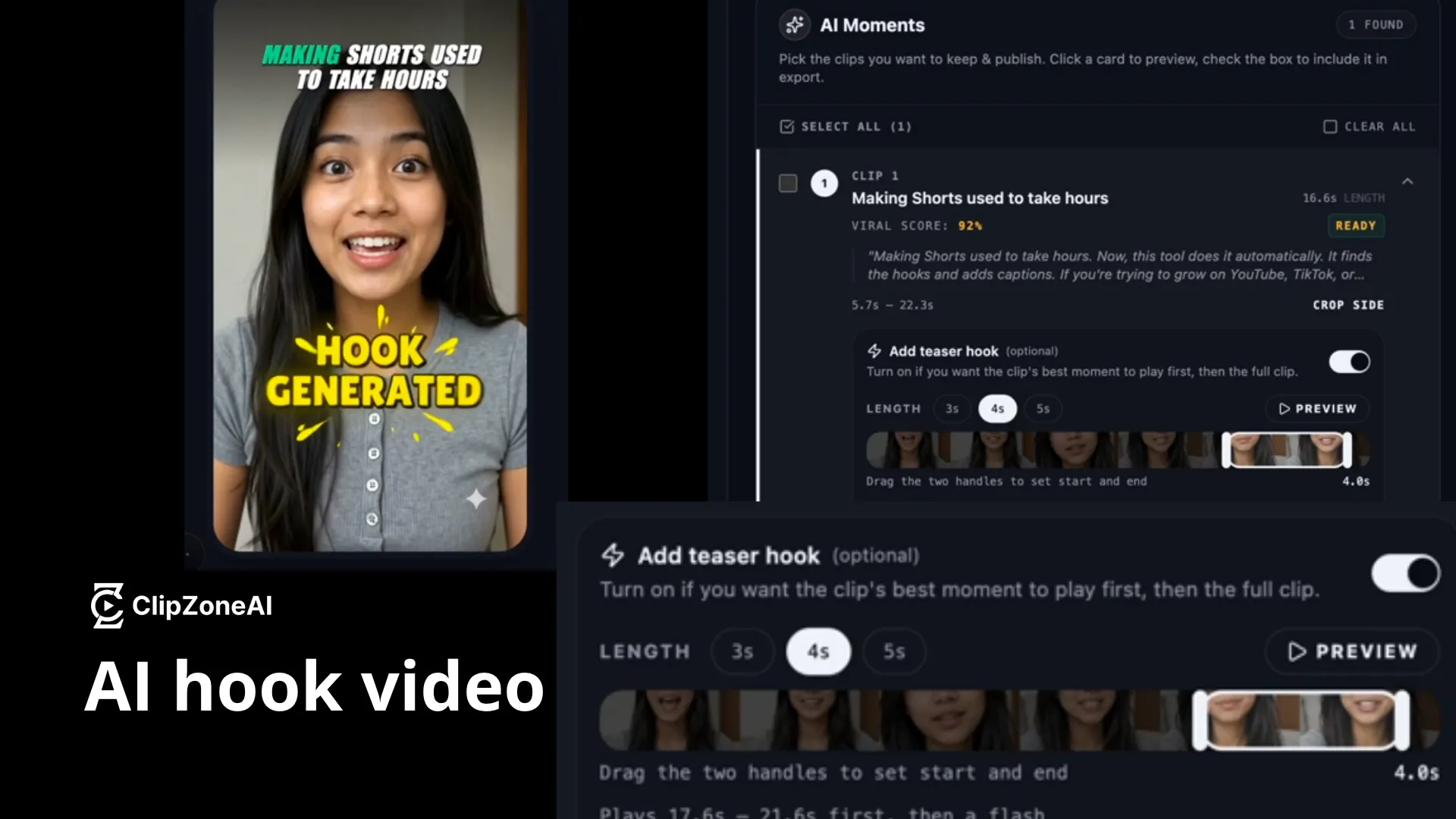
The opening few seconds of a short video can influence whether someone continues watching.
ClipZone AI offers AI-assisted hook suggestions and customizable hook options. Creators can also use an additional short hook video at the beginning of a generated short, giving them another way to introduce the main content.
OpusClip offers AI hook-related features, including its Viral Hook capability on eligible plans.
Which should you choose?
If you want to experiment with different opening ideas and customize a separate hook video for an individual short, ClipZone AI is worth exploring.
If you want hook generation as part of a broader editing and publishing environment, OpusClip is also worth considering.
D. Editing flexibility and individual short customization
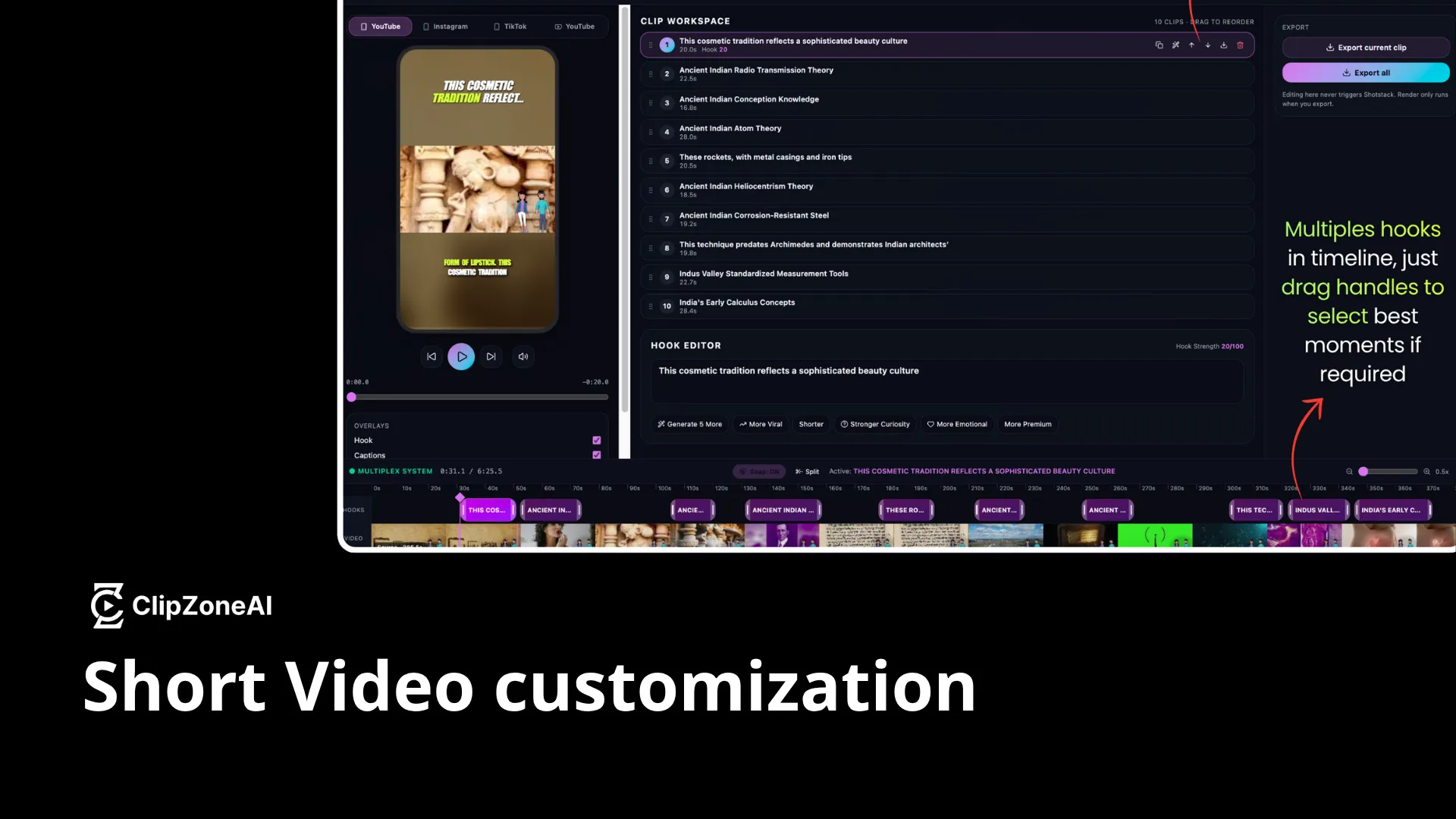
This is an important consideration that creators sometimes overlook.
AI-generated clips are not always perfect on the first attempt. You might want to change a caption, adjust the opening, modify the framing or customize the appearance of one particular short.
ClipZone AI provides an individual preview and editing workflow for every generated short. Each clip can have its own edits, timeline based edits, styles, hook video styles and hook choices.
This allows creators to work on individual outputs rather than applying the same editing decisions across an entire collection.
OpusClip also offers a powerful editing environment with various customization capabilities, including timeline-based editing and additional AI editing features.
Which should you choose?
Both provide editing flexibility. ClipZone AI is worth considering if your priority is a focused workflow where each generated short can be individually reviewed and customized.
OpusClip may be more suitable if you need its wider editing toolkit and publishing capabilities.
E. AI reframing and vertical video formatting
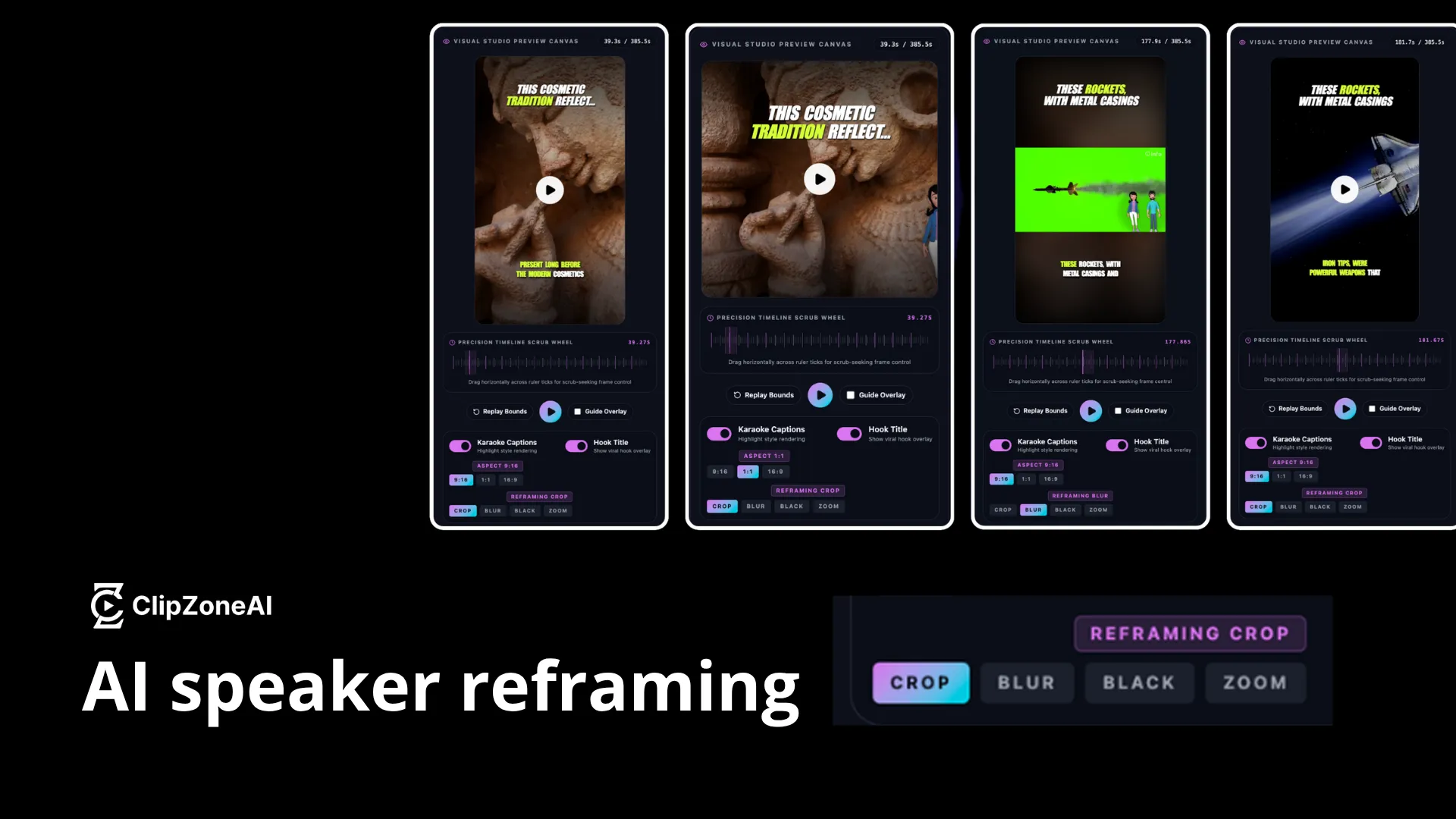
A horizontal podcast recording doesn't automatically look good as a vertical Reel or Short.
The speaker needs to remain visible, important visual information should stay within the frame, and the composition should look natural.
ClipZone AI offers AI speaker reframing, video resizing and background blur options to help prepare videos for different social media formats.
OpusClip provides AI Reframe technology, including subject tracking and dynamic layouts.
Which should you choose?
Both offer useful solutions for converting horizontal recordings into vertical videos.
Your best option depends on how well each platform handles your particular footage. Try the same recording in both tools before deciding.
F. Pricing and value for money
Pricing is one of the biggest considerations for independent creators, freelancers and small businesses.
Let's compare the publicly listed plans.
Feature | ClipZone AI | OpusClip | Advantage |
|---|---|---|---|
Free plan | $0/month | $0/month | Tie |
Free processing | 60 minutes/month | 60 minutes/month | Tie |
Entry paid plan | Creator: $11.67/month, billed $140 yearly | Starter: $15/month, billed monthly | ClipZone on annual-equivalent price |
Professional plan | Pro: $30/month, billed $360 yearly | Pro: $29/month monthly or $14.50/month billed annually | OpusClip on annual price |
Creator/Starter processing | 900 minutes/month | 150 minutes/month | ClipZone — 6× more |
Pro processing | 3,000 minutes/month | 300 minutes/month | ClipZone — 10× more |
Free export allowance | 3 export credits/month | Free clips can be generated from 60 processing credits | Different usage systems |
Creator/Starter exports | 40 successful downloads/month | Processing credits are used to generate clips | ClipZone has a separate export allowance |
Pro exports | 120 successful downloads/month | Processing credits are used to generate clips | ClipZone has a separate export allowance |
Processing credit calculation | Uploaded video duration consumes processing minutes | 1 credit per minute of original video | Similar |
Export credit calculation | 1 credit per successfully downloaded Short | Processing credits are deducted when processing footage | ClipZone's separate system |
Editing after processing | Unlimited caption, hook, font, colour and layout edits without additional processing | Text and timeline editor, with paid-plan editing | ClipZone's usage model |
Failed render charges | Failed renders and retries don't consume export credits | Failed or deleted scheduled posts have their frozen posting credits refunded | Different protections |
Credit rollover | Not listed as a rollover benefit | Monthly credits remain valid for 60 days; annual credits last 12 months | OpusClip |
Additional credit purchases | Plan-based allowance | Additional credit packs available | OpusClip |
Money-back guarantee | 14 days | No equivalent guarantee confirmed in the plan documentation | ClipZone |
Cancellation | Cancel anytime | Cancel or downgrade subscription | Tie |
For creators processing longer recordings regularly, ClipZone AI's Creator plan offers 900 minutes of monthly processing and 40 exports at its published annual price.
The biggest ClipZone advantage: Creator offers six times the processing capacity of OpusClip Starter, while ClipZone Pro offers ten times the capacity of OpusClip Pro.
Which offers better value?
If you frequently process long videos and want a clear allowance for processing and exporting, ClipZone AI is worth comparing closely.
If you need OpusClip's additional editing, language, team and publishing features, its higher-tier plans may justify the cost.
Always check the latest ClipZone AI pricing and OpusClip pricing before subscribing.
4. ClipZone AI vs OpusClip: Which Tool Is Better for Different Creators?
The best tool depends on what you create and how you work.
Here's a practical breakdown.
Creator type | What to consider |
|---|---|
Podcasters | Both tools can turn longer conversations into short clips. |
YouTubers | Both help repurpose existing long-form videos. |
Educators | ClipZone AI offers a focused clipping and captioning workflow. |
Social media managers | OpusClip offers broader publishing and scheduling capabilities. |
Coaches and consultants | Both can help turn lessons and discussions into short videos. |
Independent creators | ClipZone AI's separate processing and export allowances are worth considering. |
Agencies and teams | OpusClip offers more extensive team-oriented capabilities on eligible plans. |
Rather than choosing a platform based only on its feature list, consider the type of videos you produce, how many clips you need each month and how much editing control you want.
5. Why Consider ClipZone AI as an OpusClip Alternative?
If you're exploring alternatives to OpusClip, ClipZone AI is worth adding to your shortlist.
Here are some reasons.
1. A focused video repurposing workflow
ClipZone AI concentrates on the process of turning your existing long videos into short-form content, without requiring you to navigate a large collection of unrelated creative tools.
2. Individual control over generated shorts
Every short has its own preview and editing experience, allowing creators to make adjustments to individual outputs.
3. Customizable AI hook videos
The ability to use, skip and customize an additional hook video gives creators another option for experimenting with the opening of their content.
4. Clear processing and export allowances
Instead of treating all usage as one credit balance, ClipZone AI separates processing minutes and successful short downloads.
5. Free plan to explore the workflow
You can start with the free plan and explore AI clipping, captions and hook features before deciding whether a paid subscription makes sense.
6. A creator-focused approach
ClipZone AI is designed around a specific problem: helping creators get more short-form content from videos they have already recorded.
You can explore the platform at ClipZoneAI.com.
6. When Should You Choose OpusClip Instead?
A fair comparison should also explain where the competitor might be the better choice.
OpusClip may be a better fit if:
You want a broader collection of AI video editing capabilities.
You regularly work with different video genres, including gaming, sports and vlogs.
You need advanced AI B-roll and audio enhancement capabilities.
You want built-in social media publishing and scheduling.
You need more extensive team collaboration and brand management features.
You want a platform with a wider range of integrations and supported video sources.
OpusClip has developed a substantial ecosystem around AI-powered video editing, and it is a strong option for creators with more extensive publishing workflows.
The right choice ultimately depends on which features you will actually use.
7. Final Verdict: ClipZone AI vs OpusClip
So, which is better: ClipZone AI or OpusClip?
There isn't one universal answer.
Both platforms help solve the same underlying problem: turning long-form videos into short-form content without doing every editing task manually.
OpusClip is a strong choice for creators who want a broader AI editing platform with advanced capabilities, integrations, team features and social publishing.
ClipZone AI is a compelling option for creators who want a focused video repurposing workflow, individual short customization, AI-assisted hooks and a transparent separation between video processing and exports.
If your primary goal is to turn podcasts, interviews, tutorials and other long recordings into customized Shorts, Reels and TikToks, ClipZone AI is worth trying.
You don't need to make a decision based on feature lists alone.
Upload a video, explore the workflow, see how the generated clips look and decide which platform fits your editing style.
Ready to turn your long videos into short-form content?
Give your existing videos more opportunities to reach new audiences.
With ClipZone AI, you can discover interesting moments, customize individual shorts, experiment with hooks and create videos ready for your social media channels.
Start creating with ClipZone AI today.
Start with the free plan and explore what you can create.
Frequently Asked Questions
1. Is ClipZone AI better than OpusClip?
It depends on your requirements. ClipZone AI focuses on accessible video repurposing, individual short customization and AI-assisted hooks. OpusClip offers a broader editing, integration and publishing ecosystem. Try both to see which workflow suits you.
2. Is ClipZone AI a good alternative to OpusClip?
ClipZone AI is an alternative worth considering if you want to turn long videos into short clips with customizable captions, AI-assisted hooks and individual editing controls.
3. Does ClipZone AI offer a free plan?
Yes. ClipZone AI offers a free plan with 60 minutes of monthly video processing and 3 export credits. The free plan includes watermarked 720p exports.
4. Does OpusClip have a free plan?
Yes. OpusClip offers a free plan with 60 monthly credits, subject to its usage and export restrictions.
5. Can I turn a long podcast into multiple Shorts?
Yes. Both platforms are designed to identify interesting moments in long recordings and help turn them into shorter videos suitable for social media.
6. Can I customize AI-generated clips?
Yes. Both platforms provide editing capabilities. ClipZone AI lets you individually preview and customize generated shorts, including captions and hook options.
7. Which is more affordable, ClipZone AI or OpusClip?
Pricing depends on the subscription period and usage. ClipZone AI's Creator annual plan is currently listed at $140 per year, while OpusClip's Starter plan is listed at $15 per month. Their processing and credit systems work differently, so compare your expected usage before choosing.
8. Which tool should beginners choose?
Both offer free plans that beginners can explore. ClipZone AI is worth trying if you want a focused long-video-to-short-video workflow, while OpusClip is worth exploring if you want access to a wider collection of editing and publishing features.
Turn your videos into viral shorts
Upload, edit and export with AI captions in seconds.
Try ClipZone AI free